A wedding timeline builder that counts back from the ceremony.

Daymarked turns your couples' questionnaire into the whole wedding day, built around the ceremony.

Start free

First wedding is free, no credit card required.

  1. 1
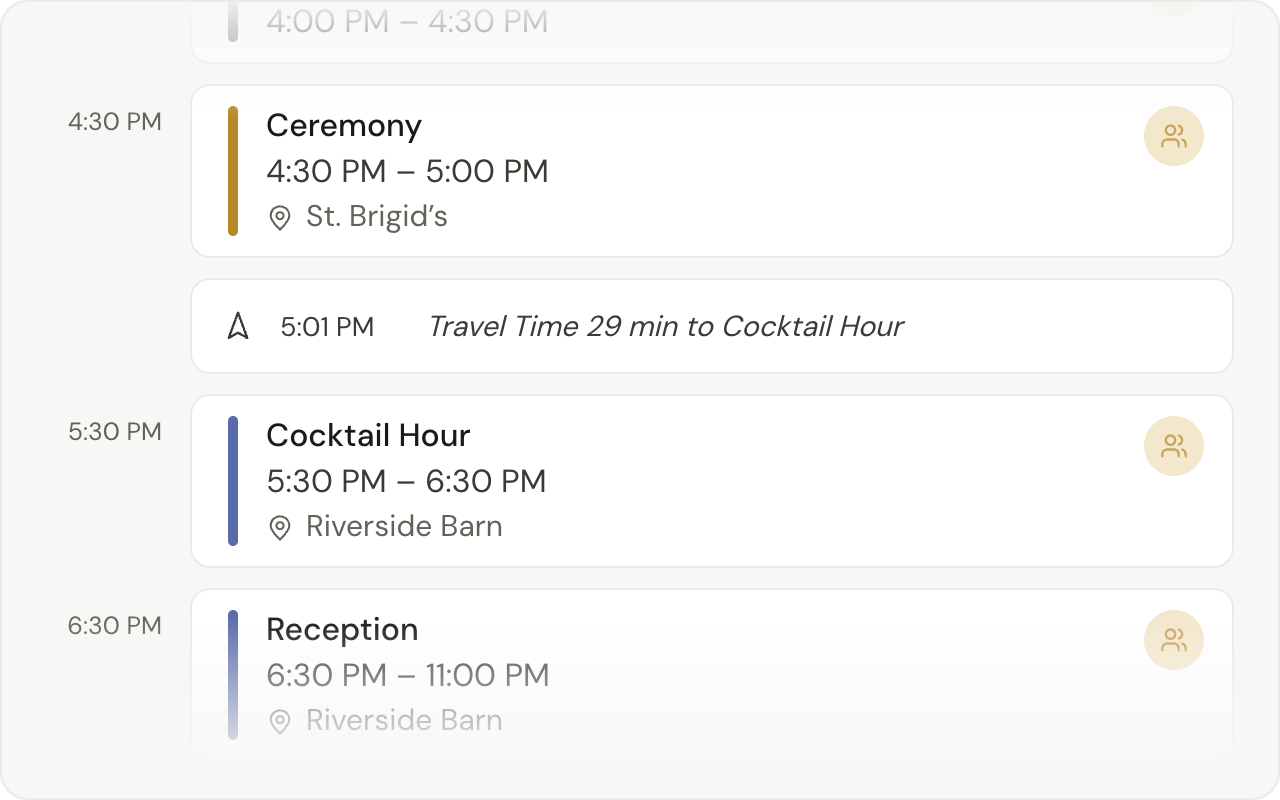
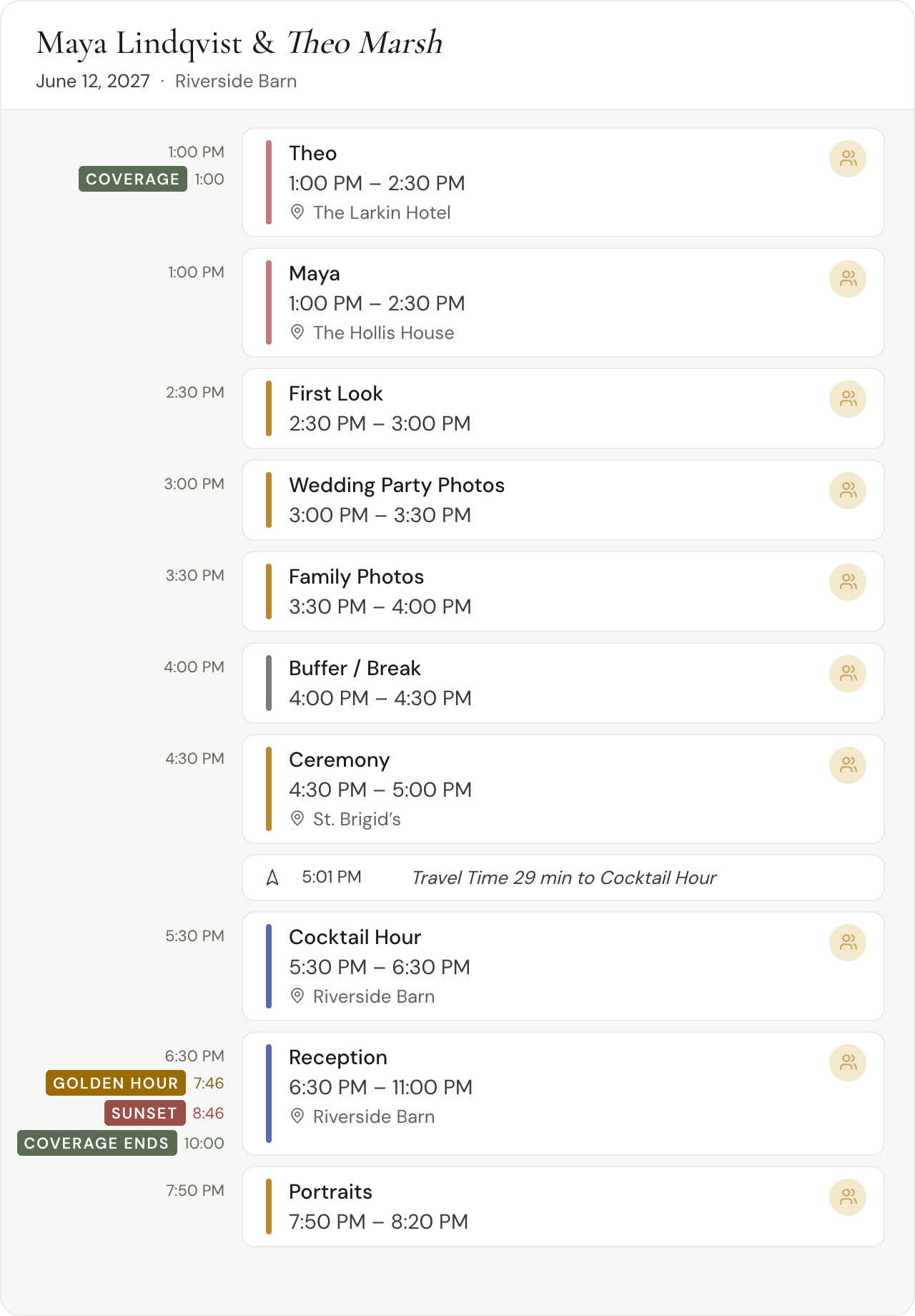
    4:30

    The ceremony time your couple gave in the questionnaire. Everything before it counts back from here.

  2. 2
    29 min

    Drive time based on real addresses.

  3. 3
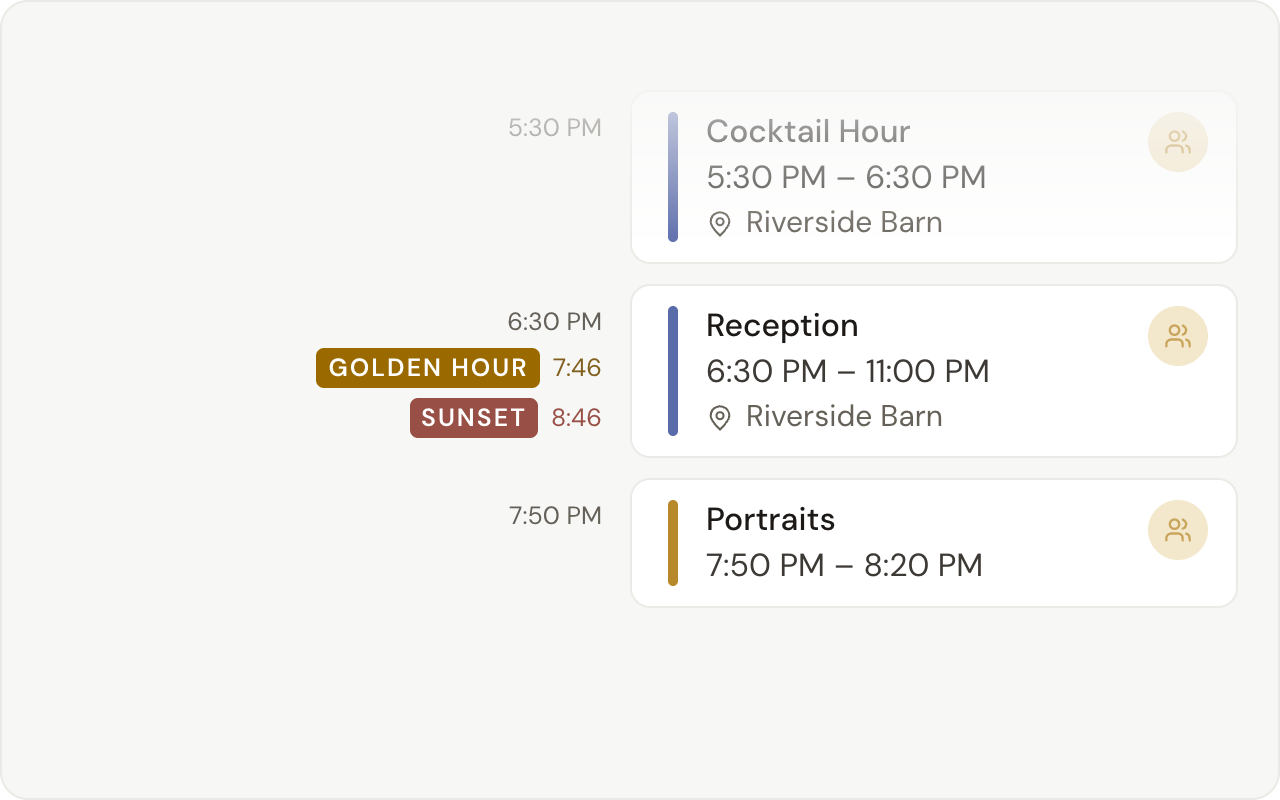
    7:46

    Golden hour and sunset already accounted for.

  4. 4
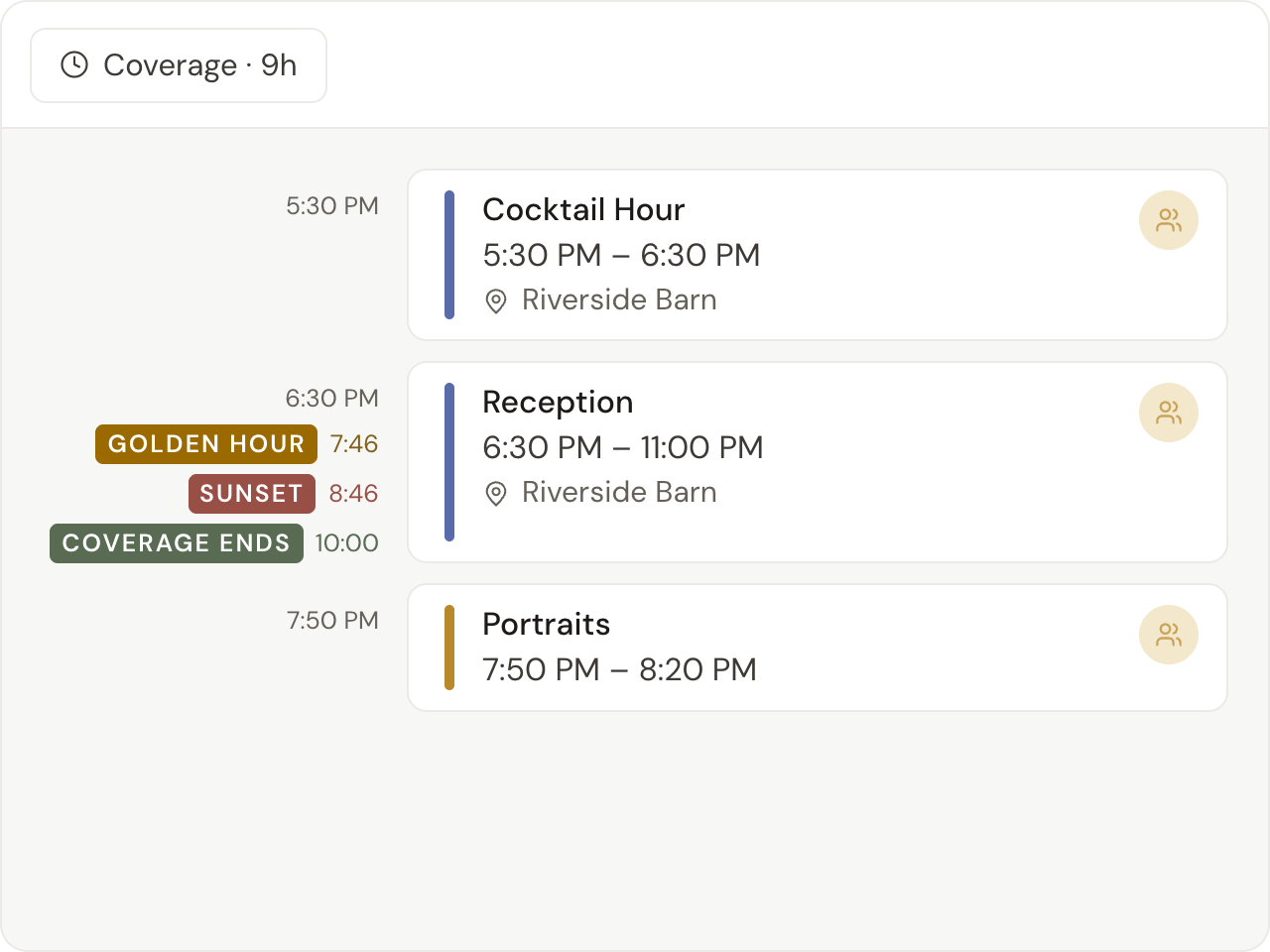
    1:00 – 10:00

    Your coverage, marked on the day.

1:00PMGetting ready

Start from what your couple already told you.

Your couple's questionnaire comes back with real times and real addresses. Build Timeline turns those answers into a starting day: a getting-ready block for each of them, the first look, the formals, the ceremony, and the reception.
4:30PMCeremony1

Everything before it counts back from the ceremony.

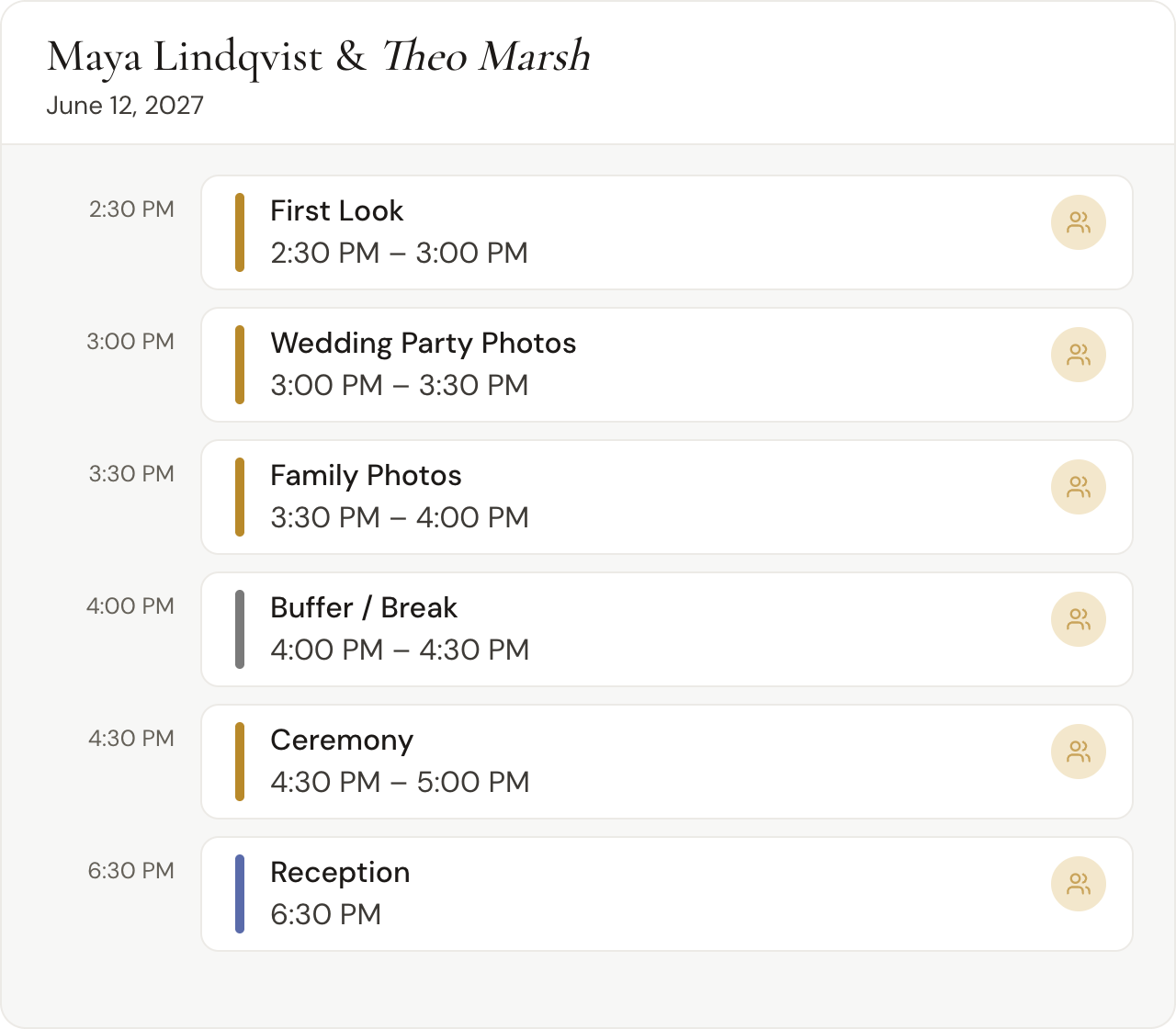
The first look lands two hours ahead, then the wedding party and family photos, then thirty minutes of buffer before the aisle.

No answers back yet? A ceremony time is enough. A new wedding's timeline asks for one and lays out the same blocks around it.

5:01PMOn the road2

The drive between stops, worked out for you.

When two blocks next to each other have different addresses, Daymarked offers to add the drive between them. Say yes and the travel time lands on the timeline.

5:30PMCocktail hour

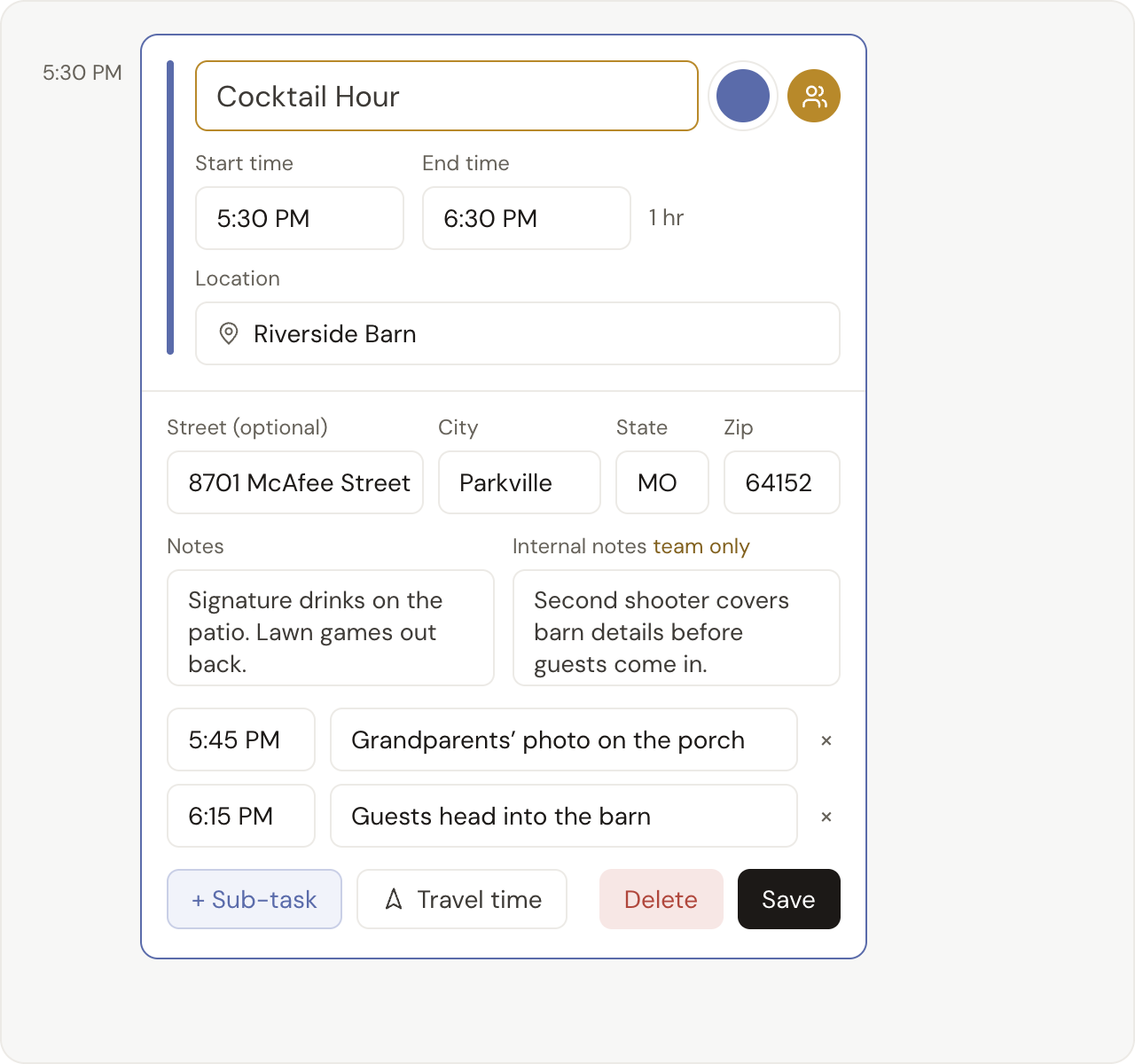
Every block holds the details.

Click a block's title, time, place, note, or sub-task and change it right where it sits.

Notes for your couple and internal notes for you live side by side, and your couple never sees the internal ones.

  1. Sub-tasks

    Each with its own time.

7:46PMGolden hour3

Golden hour for this venue, on this date.

Pick the venue from the list and Daymarked works out its sunset for the wedding date, then marks golden hour an hour before it.

  1. 8:46

    This venue's sunset on June 12, 2027.

10:00PMCoverage ends4

Your coverage, on the day.

Set the hours you're booked for and the timeline marks where your coverage starts and ends. Click either marker to change it.

I used to build timelines manually in Canva during a Zoom call with my clients, then spend more time formatting everything into something polished. My last one in Daymarked took about 30 minutes start to finish.

Evie Briggs
Evie BriggsPrairie and Pine Photography@prairieandpinephotography

Frequently asked questions

Nothing extra: every plan includes the whole timeline builder, and your first wedding is free, no credit card required. After that, a 3-wedding pack is $27 ($9 a wedding, and the credits never expire), or unlimited weddings are $129 a year.

A spreadsheet is the two-window shuffle: your couple's answers in one window, the sheet in the other, and every time worked out by hand. Daymarked builds the day backwards from the ceremony, marks golden hour and sunset for the venue, and offers to add the drive between stops. Your couple gets a link that always shows the latest version, with your internal notes left off.

Build Timeline leaves the first look out and puts the wedding party and family photos right after the ceremony instead of before it.

All of it. Click any title, time, place, note, or sub-task to edit it where it sits, move a selected block earlier or later in 15-minute steps with the arrow keys, or delete it.

Each partner gets their own Getting Ready block, with their own start time and location, titled with their first name.

No. Internal notes never appear on your couple's timeline or their PDF.

Yes. On a phone you can build backwards from the ceremony, add travel time between stops, and set your coverage window.