Build the shot list in one click. Check it off on your phone.
Your couple fills in their family by full name and relationship, and that becomes your formals list. On the wedding day, you and your second shooter check off the same list, and when someone asks if they're in any more photos, you can tell them.
First wedding is free, no credit card required.
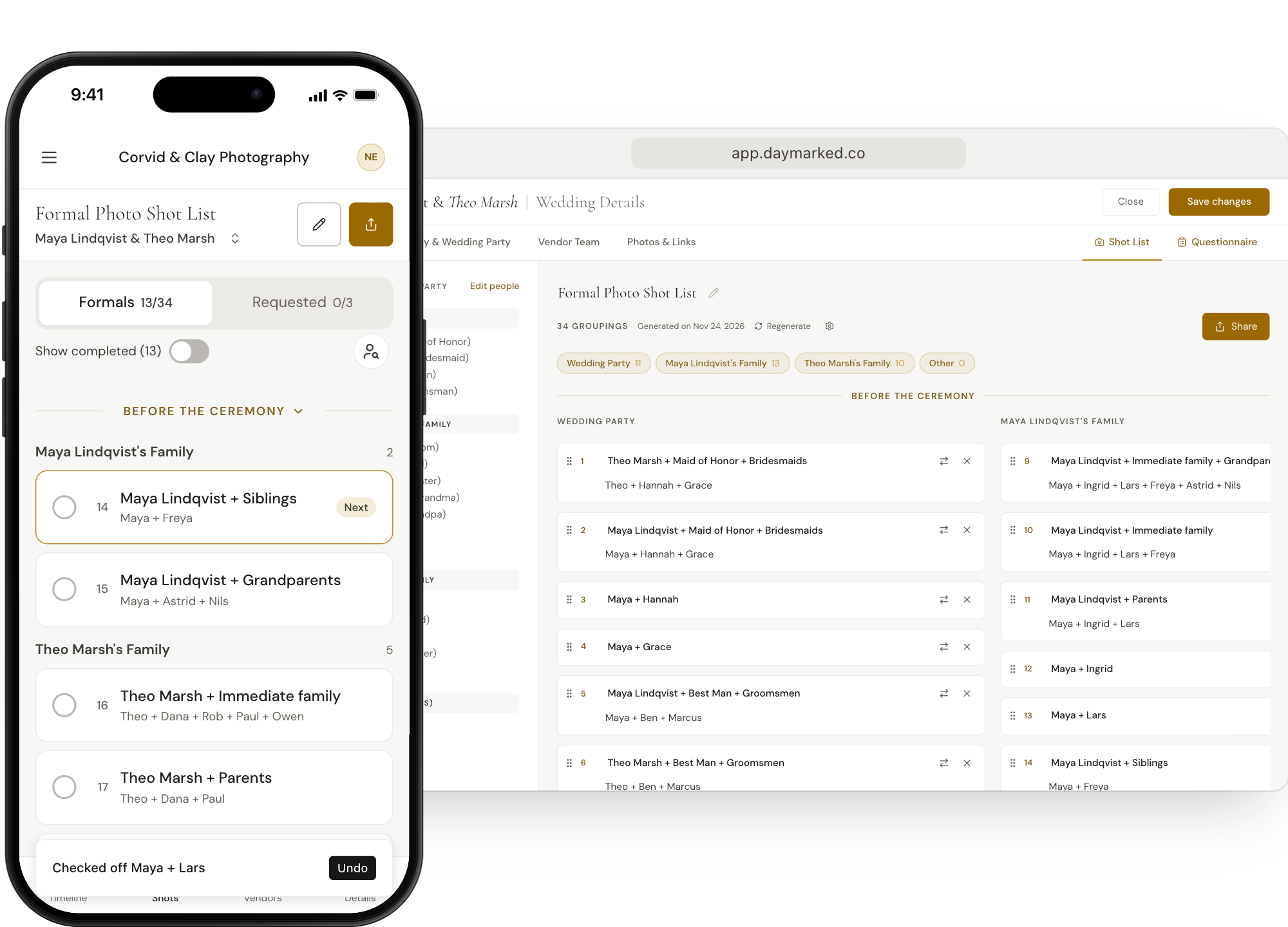
Built from your couple's questionnaire.
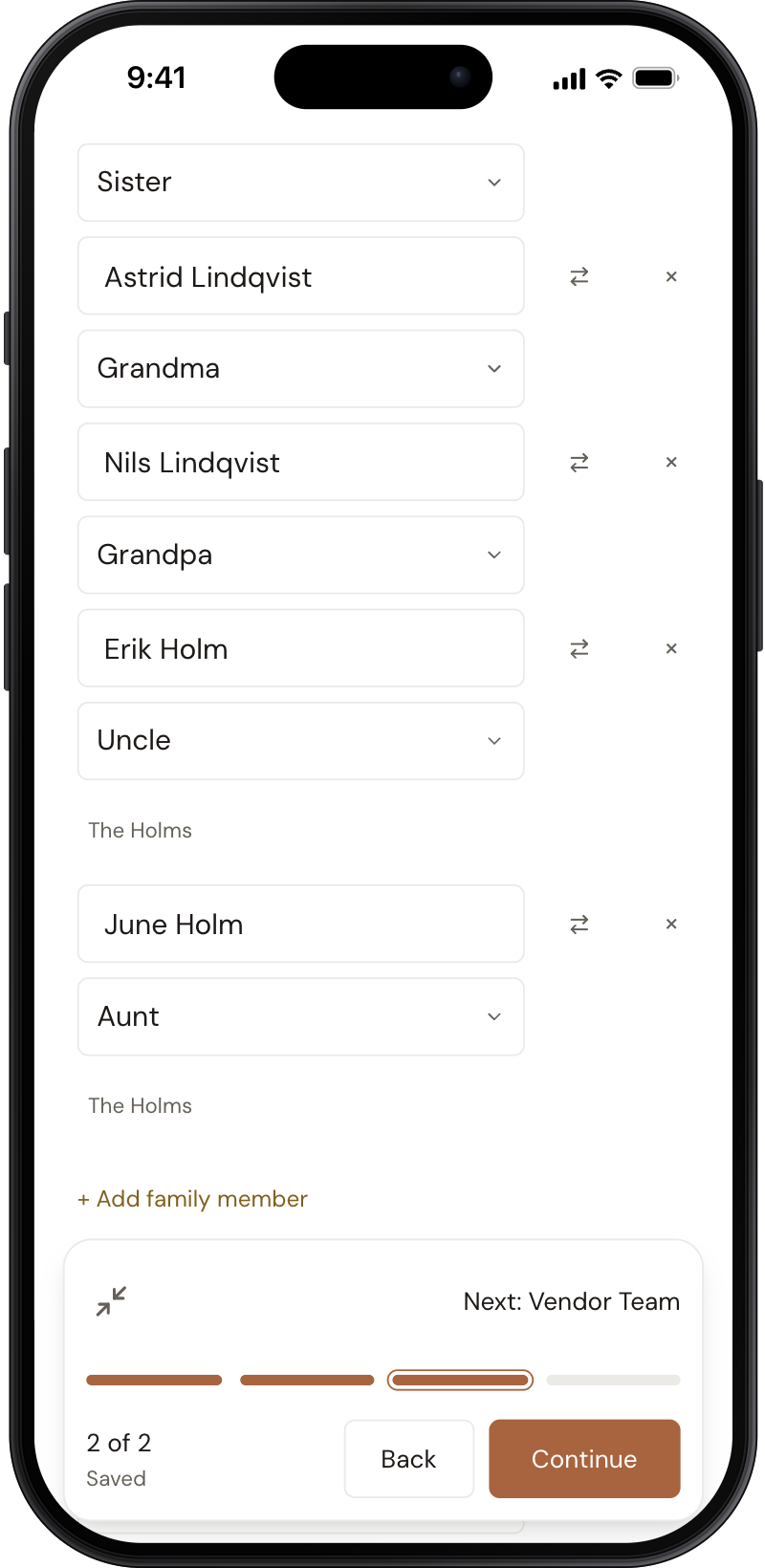
Full names, and who's who.
Your couple lists each side of the family by full name and relationship, and the wedding party with their roles.
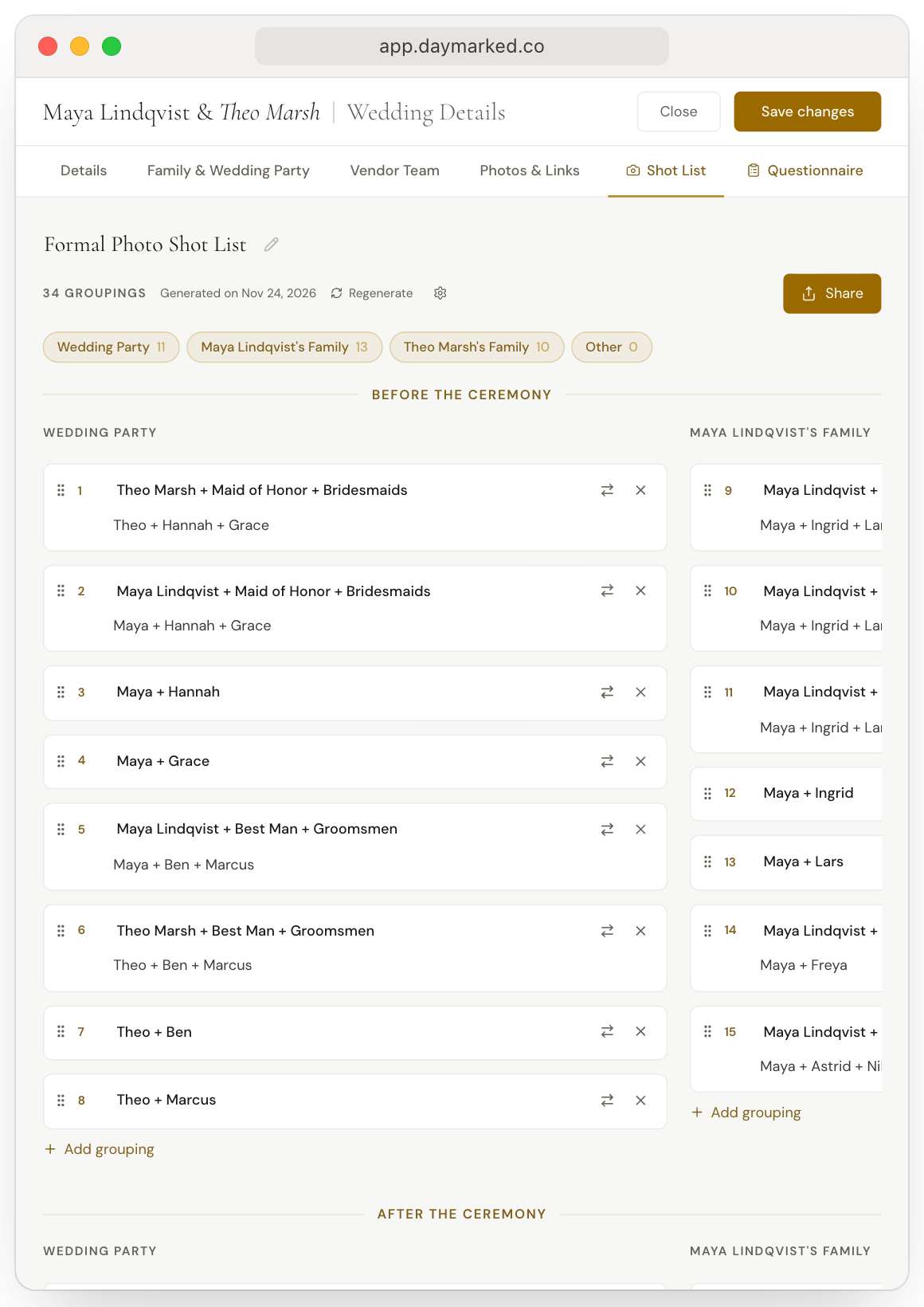
Set your groupings once.
Each wedding's list fills in who's in every shot and skips the groupings nobody fits. Anyone left over gets a shot at the end. If there's no first look, split the list into before and after the ceremony.
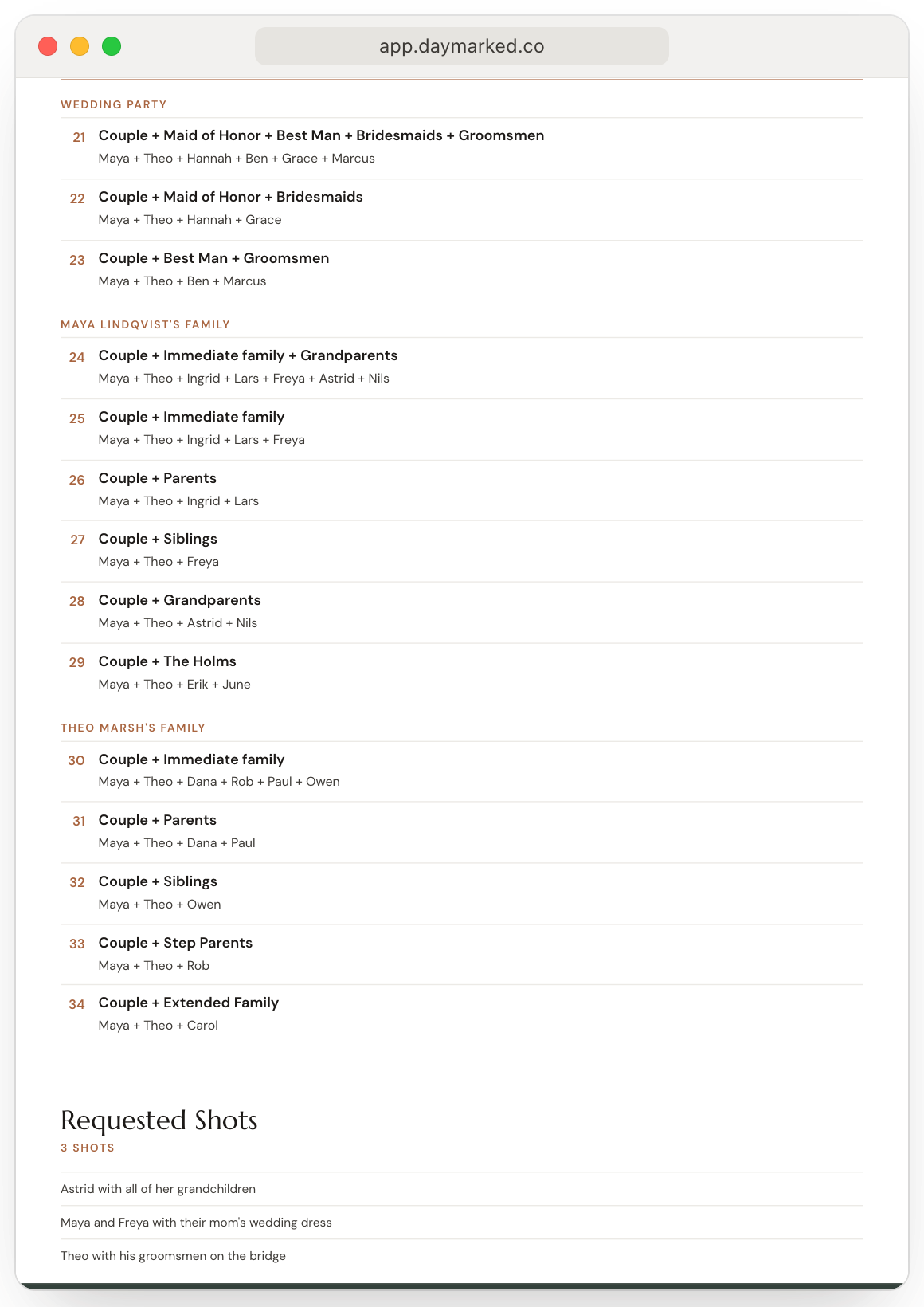
Your couple gets their own copy.
It has its own link and PDF in your branding, with the shots they've asked for at the end. Turn on print checkboxes if you'd rather run formals on paper.
Know what you've got and what's left.
Share with your second shooter.
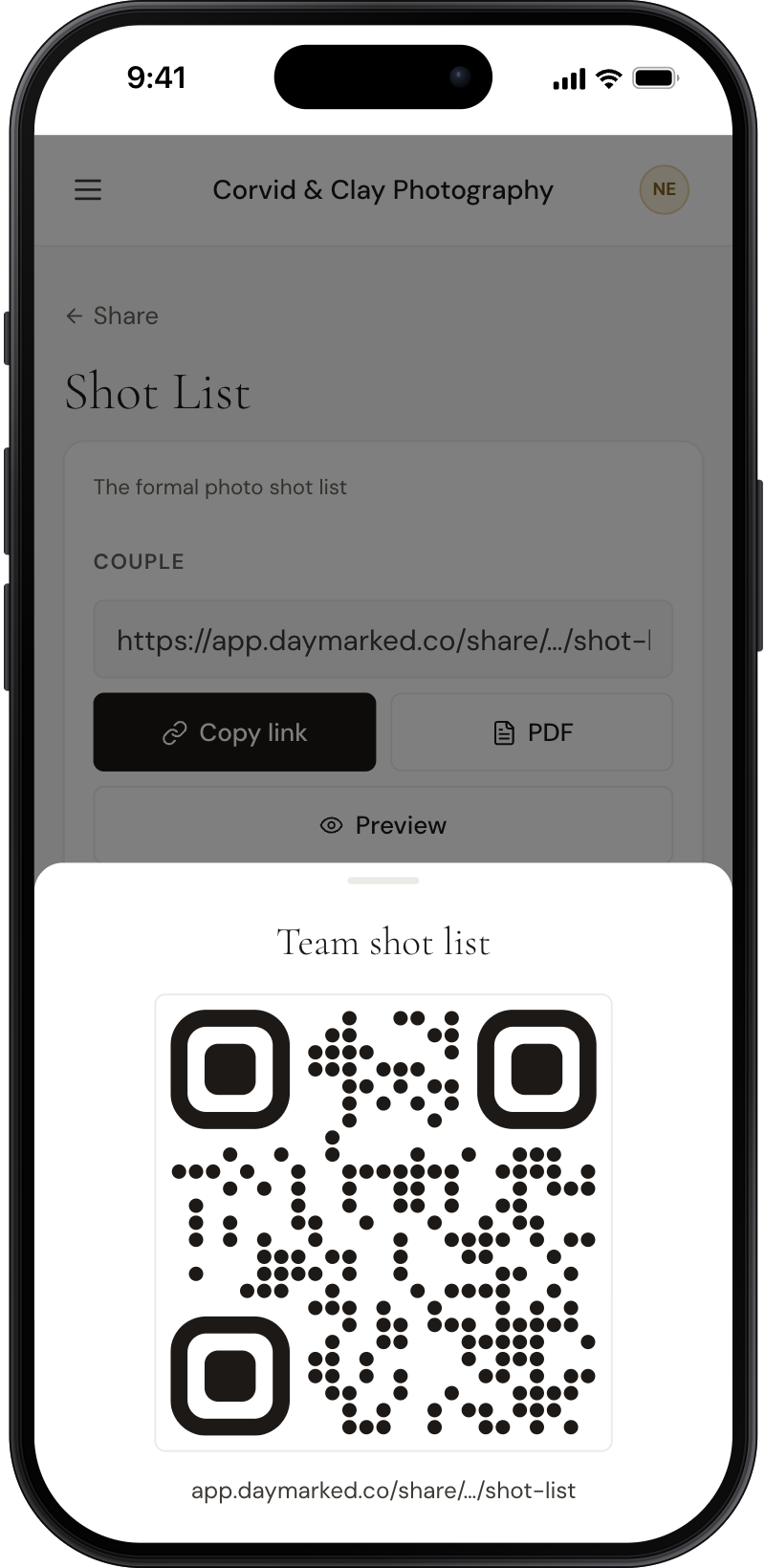
Copy them the team link from the Share page, or let them scan a QR code, and they check off the same list with no account.
Take the groups as they come.
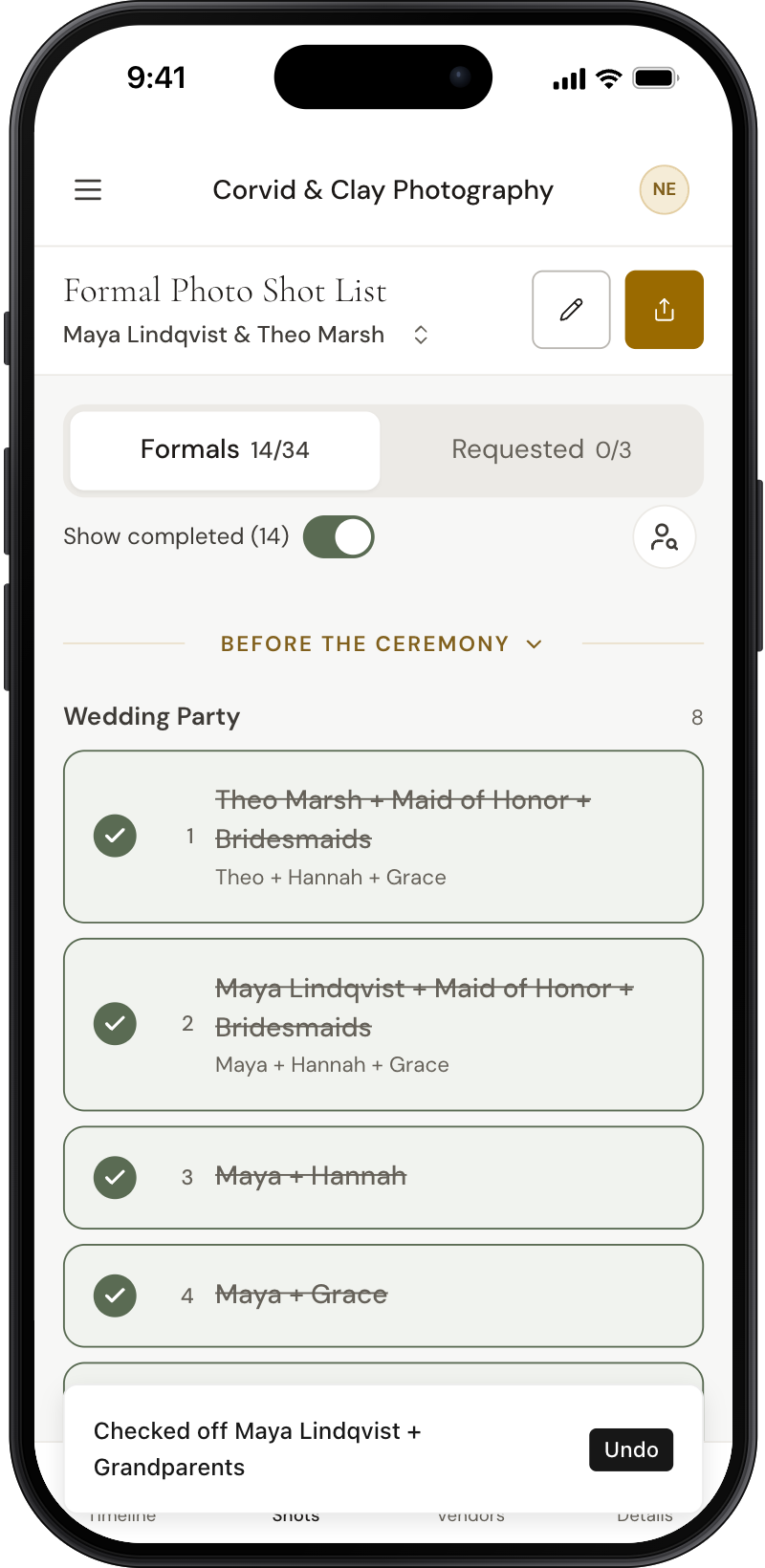
Tap a shot when you've got it and it drops off your list. Undo is there if you tap the wrong one. Skip a group that isn't ready and it stays marked Next until you come back for it. Requested shots check off the same way, and all of it works without signal.
“Am I in any more photos?”
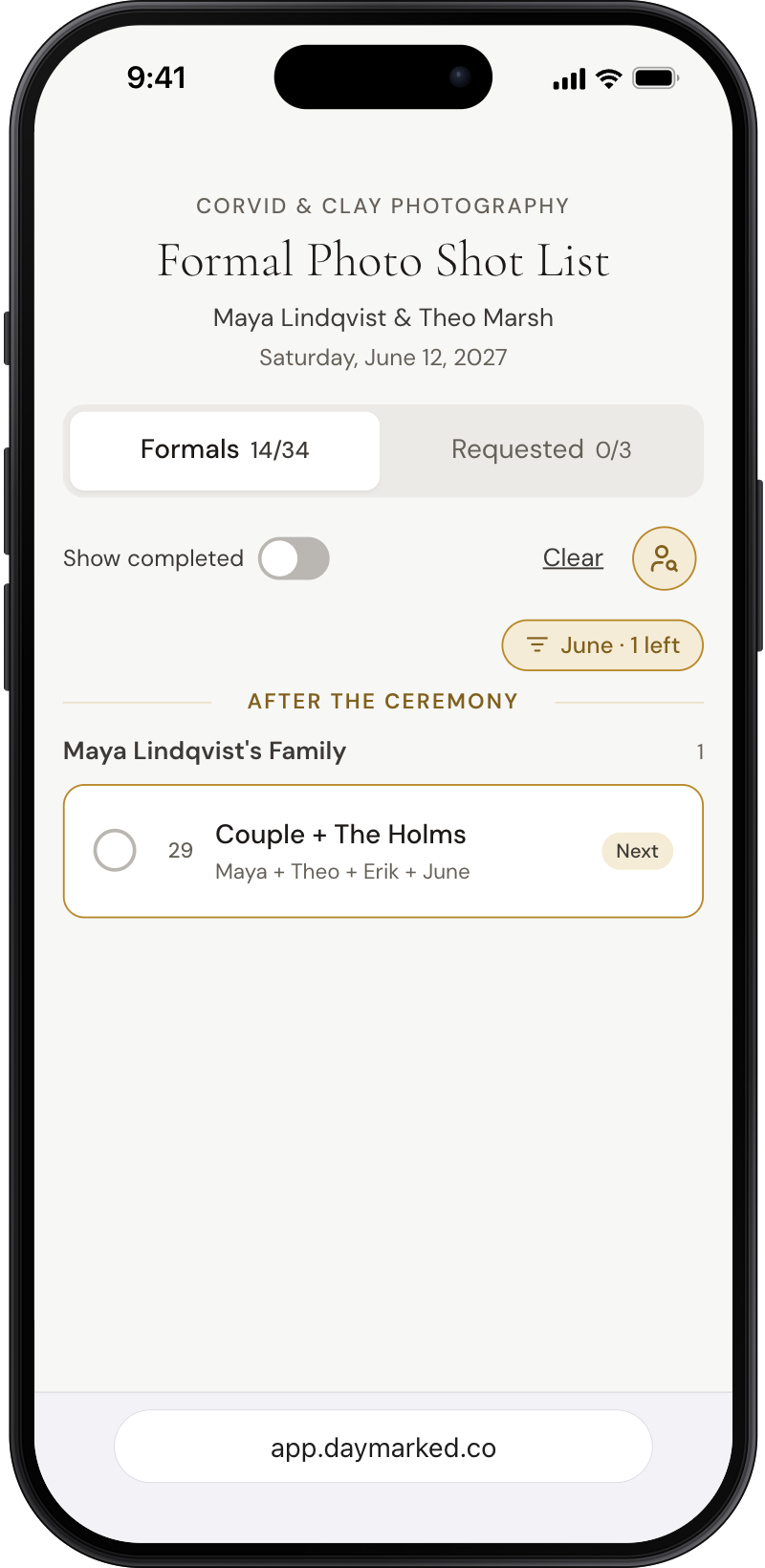
Type a name, or just “aunt,” into Find a person and see how many shots each match has left. Tap one to see only theirs, and you can answer without losing your place.
It gets you better information, family and friends, and allows me to really connect on the day of the wedding, knowing names already.

Frequently asked questions
Every plan includes the shot list and the team link at no extra cost, and your first wedding is free, no credit card required. Building a shot list doesn't use your free wedding. Sharing a link or the team link, or downloading a PDF, does. After that, a 3-wedding pack is $27 ($9 a wedding, and the credits never expire), or unlimited weddings are $129 a year.
A Word doc gets retyped for every wedding, and only whoever's holding the printout can cross anything off. In Daymarked the list comes from your couple's questionnaire, and on the day you and your second shooter check off the same list on your phones. You can still print it. How to order the groupings is in the guide below.
No. The team link opens in their phone's browser, with no account and nothing to install. Send it from the Shot List row on the Share page with Copy link or Show QR code. If they already have your team timeline link, it has a Check off shots button. They can check off shots on the wedding day, from midnight until 6 AM the next morning in your studio's time zone, and see the list any time.
Yes, it's one list. Each phone picks up the other's check-offs when you switch back to it or open Find a person, so it's worth a look before you call the next group.
Open the wedding on your phone before you lose signal and the shot list stays on it. Check-offs are saved on the phone and sent when you're back online. The team link works the same way once your second shooter has opened it.
No. Check-offs show only on your phone and the team link. Your couple's link and PDF look the same before, during, and after the wedding.
Yes. Drag groupings into a new order, add anyone from the couple's family and wedding party or type a name, and move a grouping between before and after the ceremony. Editing never clears a check-off, and building the list again from your groupings asks first and says how many it would clear.