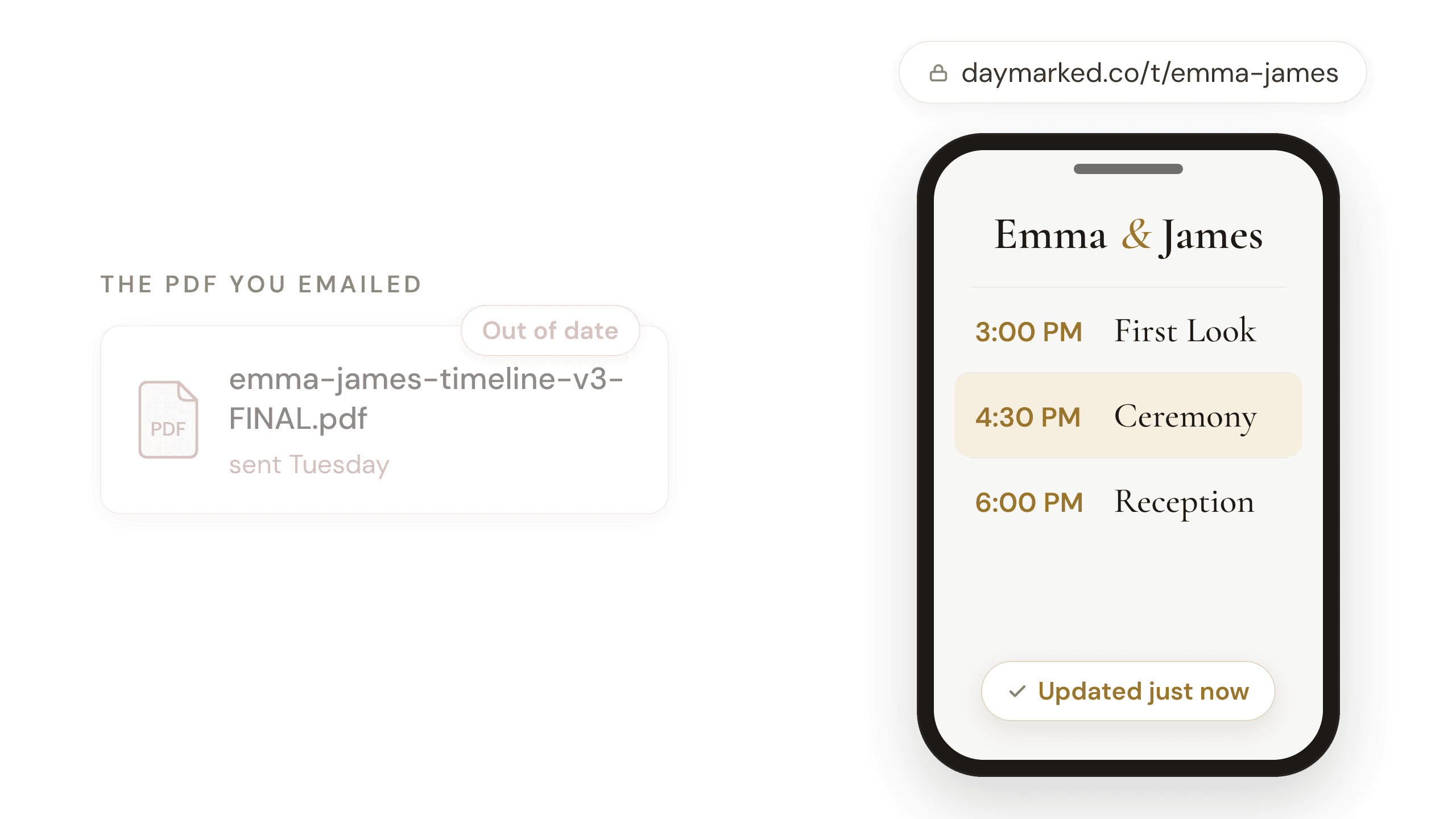
Somewhere on your desktop there's a folder for a wedding this season, and in it are files named timeline_v2.pdf, timeline_v3.pdf, and timeline_v3_FINAL.pdf. One of them is the version the couple has. If you're not completely sure which, this post is for you, and I'm not judging. I name my own files v1, v2, and FINAL, and that habit bit me exactly once, on a wedding morning. Once was enough.
Every timeline changes. The questionnaire comes back with a surprise, the venue emails a new requirement, or the couple sees the finished day and decides they want a first look after all.
But revisions feel heavier than they are, because a pending revision is a ten-minute task that costs you three days of thinking about it, the little voice repeating "I still need to update that timeline" while you're shooting and editing and living your life. And underneath that sits the version problem, the quiet dread of not being sure the day in your doc matches the day in their inbox.
This guide is about what happens after the timeline exists: when changes actually show up, how to rebuild the day when one event moves, and the habits that keep the couple, your second shooter, and you all working off the same current version. If you're still building the first draft, start with the complete guide to building a wedding day timeline. This picks up where it leaves off.
When do wedding timeline revisions actually happen?
Most wedding timeline revisions happen at five predictable moments. The first is when the couple returns their questionnaire. The second is when venue and vendor logistics surface, like a church requiring photos wrapped a full hour before the ceremony instead of thirty minutes. The third is the couple changing their mind after seeing the draft, and the most common change is adding a first look once they see what it does to their day. The fourth is the final walkthrough call about a week out, the single biggest source of late changes, because it is the first time the couple steps through the day in order and remembers what they left out of the questionnaire. The fifth is the family photo list, which keeps shifting as attendance firms up, sometimes into the final week. A revision at any of these moments is not a planning failure. It is the plan meeting the real day.
Two of those deserve a closer look.
The walkthrough call is where the big stuff surfaces. The couple has had the timeline for weeks. But reading a timeline and walking through it are different activities, and it's on that call, stepping through the day hour by hour, that someone remembers the party bus, or the gift exchange, or that Grandma can't do stairs. I've learned to treat the call as part of the revision process and expect to leave it with edits.
A late add to the family list changes the formals shot list, which is one more document that can go out-of-date. For years, a family-list change a week out meant re-typing the list and re-exporting it, and that exact bit of friction stars in a story later in this post. If someone drops out on the day itself, I don't rebuild anything; I wing it and skip their groupings. It's the changes in the final week, the ones that happen off the wedding day, that need to make it into the document. More on building the list itself in the family formals shot list guide.
Some revisions are preventable: a vague questionnaire answer that surfaces on the walkthrough call is a revision you missed months earlier. The tighter your questions, the fewer late surprises. How to ask so you only ask once is covered in the wedding photography questionnaire guide.
How does changing one block change the rest of the day?
A revision isn't a patch, it's a rebuild. When something structural moves, you don't nudge the one event and hope; you re-derive the day from its anchors the same way you built it the first time. The clearest example is the biggest structural change a couple can make, and one of the most common: adding a first look after they've seen their timeline.
Adding a first look does not add time to a wedding day; it relocates it. A first look moves roughly ninety minutes of photography from after the ceremony to before it: the thirty-minute first look block itself, plus about an hour of portraits and formals that would otherwise squeeze into cocktail hour. Because the coverage hours stay the same, both ends of the day shift: coverage starts about ninety minutes earlier and ends about ninety minutes earlier. Everything stacked in front of the ceremony, getting ready, travel, and the pre-ceremony buffer, pulls earlier by the same amount. What the couple gets back is the hour after the ceremony: with formals already done, they can join their own cocktail hour, or spend the time on a party bus doing fun photos instead of working through a list. Dropping a first look late runs the same math in reverse.
Here's what that looks like on the same day I built in the complete guide to building a wedding day timeline: a 4:00 PM ceremony, eight hours of coverage, getting ready about 20 minutes from the venue.
Version 1, no first look:
- Coverage: 1:00 PM to 9:00 PM
- 1:00 - 3:00 PM, getting ready
- 3:00 - 3:30 PM, travel (20-minute drive plus a load-and-park pad)
- 3:30 - 4:00 PM, buffer, all photos wrapped
- 4:00 - 4:30 PM, ceremony
- 4:30 - 5:30 PM, family formals fill cocktail hour; the couple never sees it
- 5:30 - 6:30 PM, grand entrance and dinner
- 6:30 - 7:15 PM, wedding party photos and couple portraits, slipped out at golden hour
- 7:15 - 9:00 PM, toasts, dances, cake cut, open dancing
Version 2, first look added on the walkthrough call:
- Coverage: 11:30 AM to 7:30 PM
- 11:30 AM - 1:30 PM, getting ready
- 1:30 - 2:00 PM, travel
- 2:00 - 2:30 PM, first look and couple portraits
- 2:30 - 3:00 PM, wedding party photos
- 3:00 - 3:30 PM, family formals
- 3:30 - 4:00 PM, buffer, all photos wrapped
- 4:00 - 4:30 PM, ceremony
- 4:30 - 5:30 PM, cocktail hour, and the couple is actually at it
- 5:30 - 7:30 PM, entrance, dinner, a golden hour slip-out for portraits, toasts, dances
- Coverage ends 7:30 PM
Notice what moved: The start time, the end time, where every photo block lives, and what the couple's evening feels like. You're not maintaining a fragile document; you're re-running a method you trust. The tradeoff between the two versions, cocktail hour versus dance floor coverage, is the couple's call to make, and now they're making it three months out instead of discovering it at 7:25 PM. Whether to do a first look at all is its own decision, covered in the first look vs. no first look guide.
The other heavy-rework triggers behave the same way. A new getting-ready location inserts real travel time into the morning and re-stacks everything after it. A party bus changes how the whole post-ceremony window flows. In each case the move is identical: go back to the anchors, rebuild the events, and let the new day come naturally.
Why does every photographer end up with a folder of v3_FINAL PDFs?
Timeline version-control problems have one root cause: the moment you export a timeline, it stops being a document and becomes copies. The PDF in the couple's inbox, the file on your second shooter's phone, and the print in your bag are all frozen at the moment you sent them, and none of them update when the timeline changes. Every revision after that depends on you remembering a chain: make the edit, export a new file, send it to every person who had the old one, and replace your own copy. Miss one step in that chain and someone works the wedding off a day that no longer exists. That is why the folder fills up with v2, v3, and v3_FINAL. The fix is not better file naming. It is keeping one canon version of the day and treating every exported copy as expired the moment anything changes.
I told you the file naming bit me once. Here's the story.
A few seasons ago, on a one-week-out call, my couple added several family members who weren't in the questionnaire, plus a few new groupings for the formals list. No times moved, so it didn't feel like a revision. I updated my working document and moved on with my week. What I never did was export the new version, which also meant I never emailed it to the couple. Nobody on that wedding had the current list, including me.
I found out on the wedding day when I pulled up the list on my phone and couldn't find the names of the people we'd added. The feeling was exactly this: "oh crap, I never exported the new document, and I can't remember what we added." What followed was a few minutes of quiet panic where I stood outside a formals session downloading the Word app onto my phone for the first time in my life, hoping iCloud sync would show me the real document. It did, I recovered before anyone noticed, and the couple never knew.
When should you send the couple a new timeline?
I used to think of this as a judgment call, and honestly, it mostly isn't. When the change comes from the couple, which is most of the time, they asked for it and they're waiting to see it reflected. Sending the new version is just being professional. The interesting cases are the ones that don't come from the couple. The clearest one I've had: a venue emailed me that photos needed to be wrapped a full hour before the ceremony instead of my usual thirty minutes. That's invisible to the couple in one sense, but it moved their whole pre-ceremony afternoon, so I rebuilt the timeline and sent it over with an explanation. If it changes when or where anyone needs to be, it gets sent. What I almost never do is silently swap a materially different day into the timeline. A couple who finds a changed time they were never told about stops trusting the timeline, and the timeline's entire job is to be trusted.
How do you keep everyone on the current version?
One source of truth, and say what changed. Never make anyone check two PDFs to figure out what moved.
When I send an updated timeline, the message is short and the change is named. My normal send is some version of: "Hey guys! Here's the new version of your timeline, let me know if I've missed anything or need to add something." If the change is big, I call it out and say why it's good: "I added the first look we talked about, so take a look at the rest of the times and make sure you feel good. You'll both really enjoy the extra time and buffer this gives you." If a shot list rides along, it gets its own sentence: "Take some time and look over the group photos I sent over, and let me know if I've missed anyone or need to adjust the groupings."
The second shooter runs on a different rule: I update them when a change touches them, and only then. More groupings on the family list? They'll see it on the day; it changes nothing about their morning. But a change to where or when they start is a conversation, not a re-send, because it can cascade into logistics like handing off SD cards the day before.
I learned that one the hard way too. Early in my career, on a week-out call, a bride asked to add coverage of the groom getting ready. I never exported that version, so neither I nor my second shooter had the current plan. My second thought they started at noon. The updated day had them starting at 10:00 AM at a location thirty minutes from the hotel. That coverage simply never happened, and I found out when the bride asked me, on the morning of her wedding, whether my second was in the groom's room. That's a mistake you make once in your career and never again. What a second shooter needs from you, beyond the timeline, is worth a guide of its own.
Which vendors need the photography timeline?
My timeline is a photography document: it exists to structure coverage, and most vendors are working from the planner's or venue's own schedule. The couple gets the clean client version of the day. My second shooter gets the internal version, the one with my notes in it. Vendors generally get nothing from me at all, and in ten years that has almost never caused a problem. What belongs on the internal version and what the couple should see deserves a guide of its own.
When one version is the only version
Every habit in this post gets easier when the timeline lives in one place instead of forking into copies. Whatever tools you use: one canonical document, updated in one place, with exports treated as expired the moment anything changes, and a short note to the people a change impacts.
For what it's worth, this problem is a big part of why I ended up building Daymarked. The timeline I edit is the timeline everyone opens: the couple's link and my second shooter's link always show the current day, not whatever I exported three weeks ago, and the formals list travels with it. It doesn't stop couples from changing their minds, nothing does, and the walkthrough call still surfaces surprises. But a change now means making the edit and telling the people it affects, and that's it. No more v3_FINAL.